
The internet Filtering system not only enhances online security but it also contributes to improve productivity and peace of mind for enterprises.

Regulation of internet use in the workplace
TinyMDM’s Internet Filtering feature provides organizations with a powerful tool to regulate and control web content accessible on mobile devices. By establishing customisable filtering policies, whitelisting or blacklisting websites, and providing real-time monitoring capabilities, TinyMDM empowers administrators to safeguard their networks and users from potential online threats.
Customizable internet filtering system
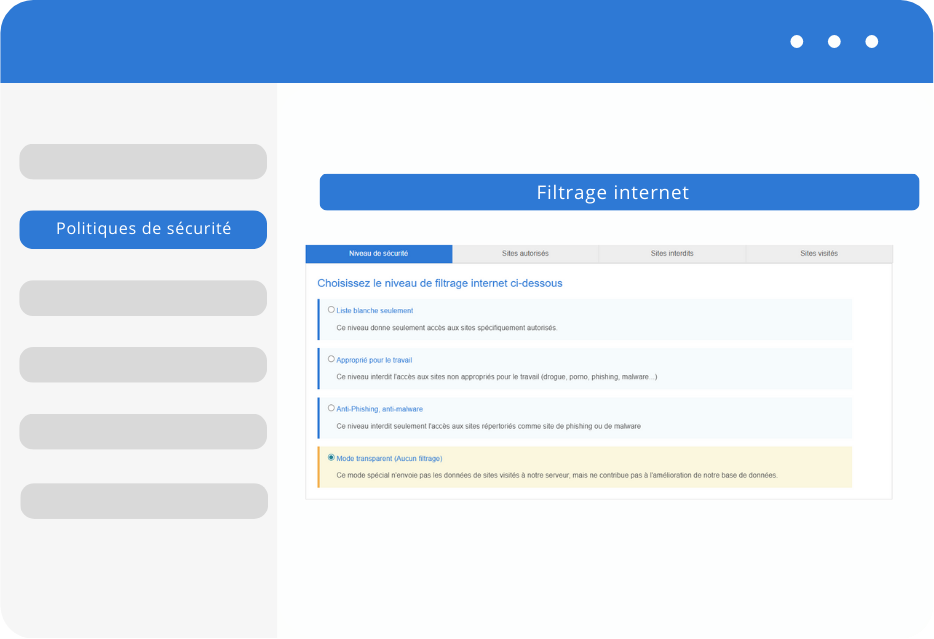
This feature empowers administrators to define specific filtering policies based on their organization’s requirements. Administrators can customize these policies to restrict access to certain categories of websites, such as adult content, violence, gambling, or social media, effectively preventing users from accessing potentially harmful or distracting websites.
Whitelisting and Blacklisting
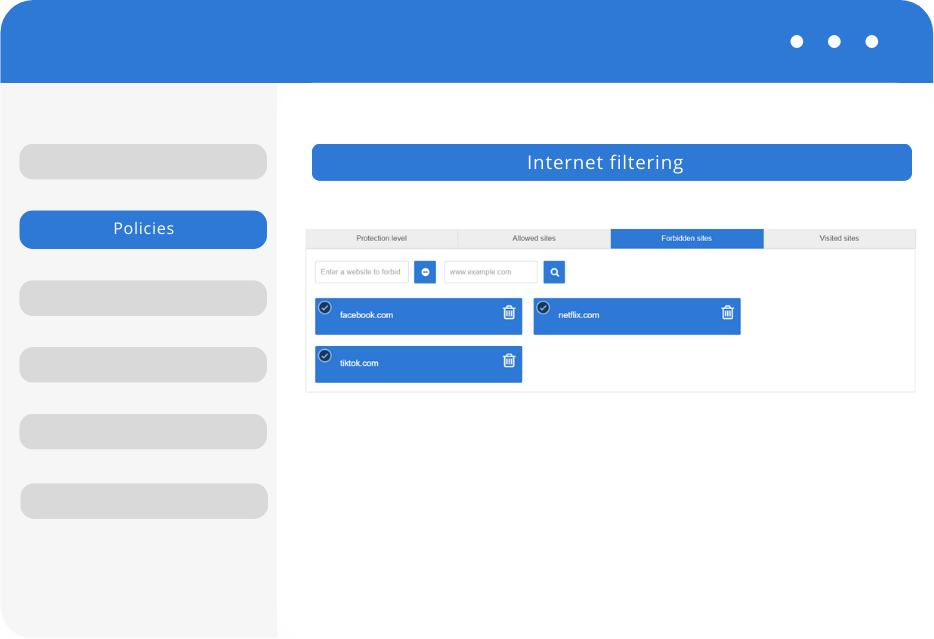
Administrators can create whitelists and blacklists to refine their web filtering policies. Whitelisting allows only approved websites to be accessed, ensuring a highly controlled browsing experience. Blacklisting, on the other hand, blocks access to specific websites that are deemed unsafe or inappropriate.
Real-time monitoring and reporting
The Internet Filtering feature in TinyMDM provides real-time monitoring and reporting capabilities, allowing administrators to gain insights into users’ browsing activities. This feature enables administrators to identify any potential security risks, track policy violations, and take prompt action when necessary.

Internet filtering FAQ
TinyMDM allows administrators to regulate internet access by creating customizable filtering policies, authorizing or blocking websites via whitelists and blacklists, and filtering web browsing to block content deemed inappropriate for work or simply blocking phishing/malware sites.
Filtering policies can be customized to restrict access to specific categories, such as the “Safe for work” category, which blocks adult content, violence, and gambling in order to prevent access to content unrelated to work tasks.
The whitelist allows access only to administrator-approved websites for highly controlled browsing. The blacklist, on the other hand, allows you to block access to specific websites manually prohibited by the company.
The history feature provides an overview of internet browsing activity for all users within a given policy. This enables administrators to quickly identify potential security risks and intervene without delay.