Gaining a better understanding of the use of professional mobile devices in the workplace
Professional mobile devices (smartphones, tablets, ruggedized devices) play a significant role in teams’ daily work. When managed by MDM software, these devices enable secure access to business applications and various documents.
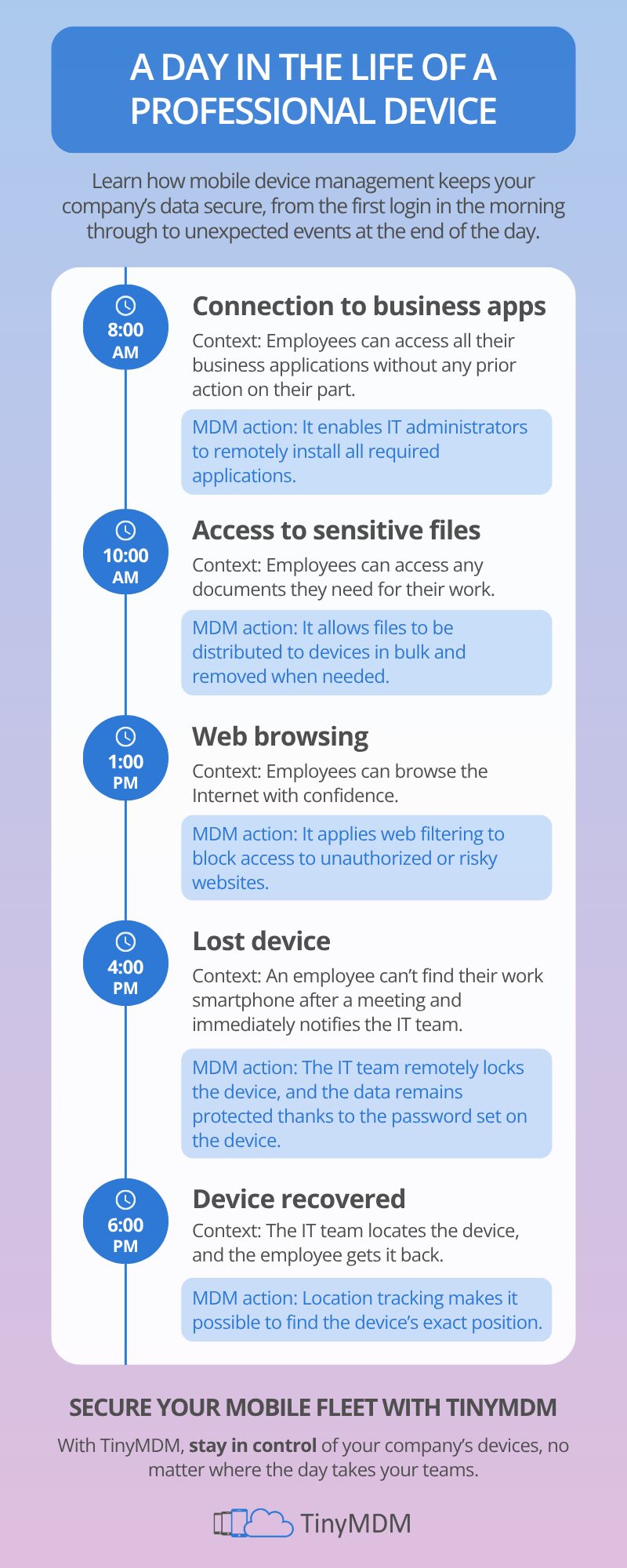
This infographic helps you better understand how business devices are used and the role of MDM throughout the day.
A typical day made secure thanks to MDM
Throughout the day, mobile devices are used for a variety of purposes. From the moment they first connect, employees need to be able to quickly access their work apps, to check their emails for example. With MDM, these apps are available without any action on the user’s part. In fact, they are installed and configured remotely directly by the IT team.
Access to often sensitive files becomes essential as the day progresses. MDM enables these documents to be shared securely across devices, while retaining the ability to delete them remotely if necessary. This centralized management limits the risk of data leaks.
Similarly, when using the Internet, devices may be exposed to risky content. A Mobile Device Management solution enables the implementation of internet filtering. This filtering blocks access to unauthorized sites and protects users from potential threats.
Finally, unforeseen events are inevitable. If a device is lost, the mobile device management tool allows you to act quickly by remotely locking it, securing access with a complex password and locating it using geolocation features.
TinyMDM, a simple solution for securing your mobile fleet
With TinyMDM, organizations have access to simple, comprehensive software for managing and securing their Android devices on a daily basis. Thanks to its intuitive interface and essential features, TinyMDM helps you maintain control over your mobile fleet.
By centralizing device management, the TinyMDM solution helps IT administrators save time while ensuring a high level of security.