
How to setup an application to require a password to open?
A. Add a password on an app
In kiosk mode, you can protect the access to some apps by adding a password. To do it:
- Connect to your TinyMDM account
- Open the Policies tab
- Click on Modify to update the policy of your choice
- In the Apps management subtab, click on the icon
 (at the top right of the application you want to protect) and then click on Add password.
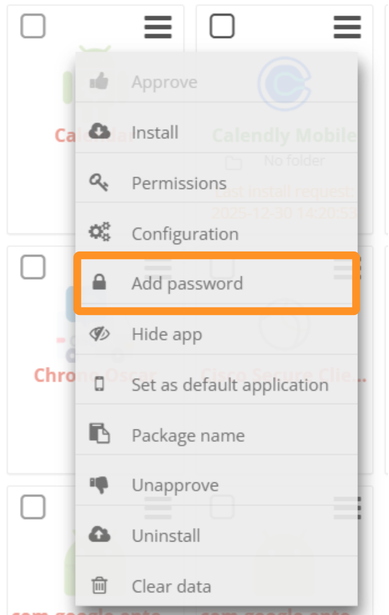
- Enter the password and press the Enter key.
The application password will then update across all devices under this policy. Each time the application is opened on a mobile device, a pop-up will appear to enter the password:

B. Modify a password on an app
- Connect to your TinyMDM account
- Open the Policies tab
- Click on Modify to update the policy of your choice
- In the Apps management subtab, click on the icon (at the top right of the application you want to protect) and then click on Change password.
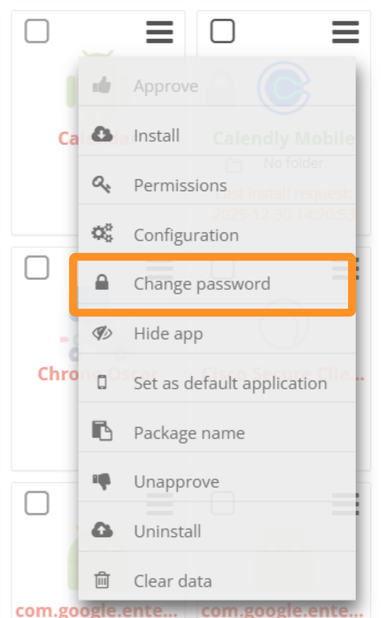
- Enter the new password and then press the Enter key.
The application password will then update across all devices under this policy.