
What are the different subscriptions available and how do I place an order?
1. Payment upon ordering 

You pay for all your licenses at the time of ordering for the selected period. Once the order has been confirmed, the licenses are credited to your console and your devices can be enrolled (it is possible to add additional licenses during the subscription period, which will be billed pro-rata according to the number of days remaining). TinyMDM subscriptions:
- FLEXIBLE plan: monthly billing with automatic renewal. This plan offers flexibility, as licenses can be added or removed at each renewal.
- CLASSIC plan: annual billing with automatic renewal. This plan is more advantageous as it saves you 2 months’ worth of fees over the year.
- Long-term subscription: For long-term projects, we offer multi-year contracts to stabilize your fleet management costs (3 and 5 years). Contact us for a customized quote.
You can change your billing cycle by changing your plan in the My Account tab of your console. The new TinyMDM subscription will take effect at the end of your current plan.
It is important to note that each license purchased cannot be refunded during the subscription period, even if it is no longer in use. However, you can remove licenses when renewing your subscription.
2. Flex’ Plan (pay-as-you-go billing)
For companies seeking total agility, this Pay As You Go mode automates billing without the need to place orders in advance or manage available license inventory.
Billing is monthly and automatically adjusts up or down based on your console’s actual usage: all devices already enrolled or enrolled during the current month are billed at the end of the month, with a deduction for devices reset during that same month. No need to purchase license packs in advance; your terminals can be enrolled as soon as needed. There is also no need to reduce the number of licenses at the next renewal if they are not all used! Contact us during your trial period to have the Flex’ Formula made available on your account.
Minimum billing of 50 €/$/£/CA$ per month: if too few licenses are used during the month, the monthyl minimum billing applies.
Only available for payment by credit card or SEPA direct debit.
3. How to place an order on TinyMDM?
On the “My Account” tab, under “Company Info” please enter your intra-Community VAT number. If your organization does not have one, simply check the corresponding box (“My entity does not have a VAT nu”), and the following rules will apply:
- Companies in the European Union (excluding France): Without a valid intra-Community VAT number, the French VAT rate of 20% will apply. Be sure to enter your intra-Community VAT number to benefit from reverse charge (tax-exclusive invoice).
- Companies in the French Overseas Departments and Regions (Guadeloupe, Martinique, Mayotte, Réunion): Invoices are always issued inclusive of VAT. Without a valid intra-Community VAT number, a 20% VAT rate will apply. Be sure to provide your intra-Community VAT number to benefit from your reduced VAT rate.
- Companies outside the European Union: not subject to European intra-Community VAT.
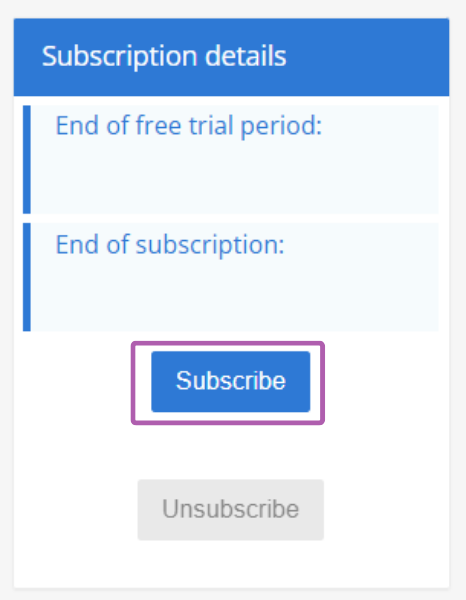
1. Go to the My Account tab in your admin console and click Subscribe.
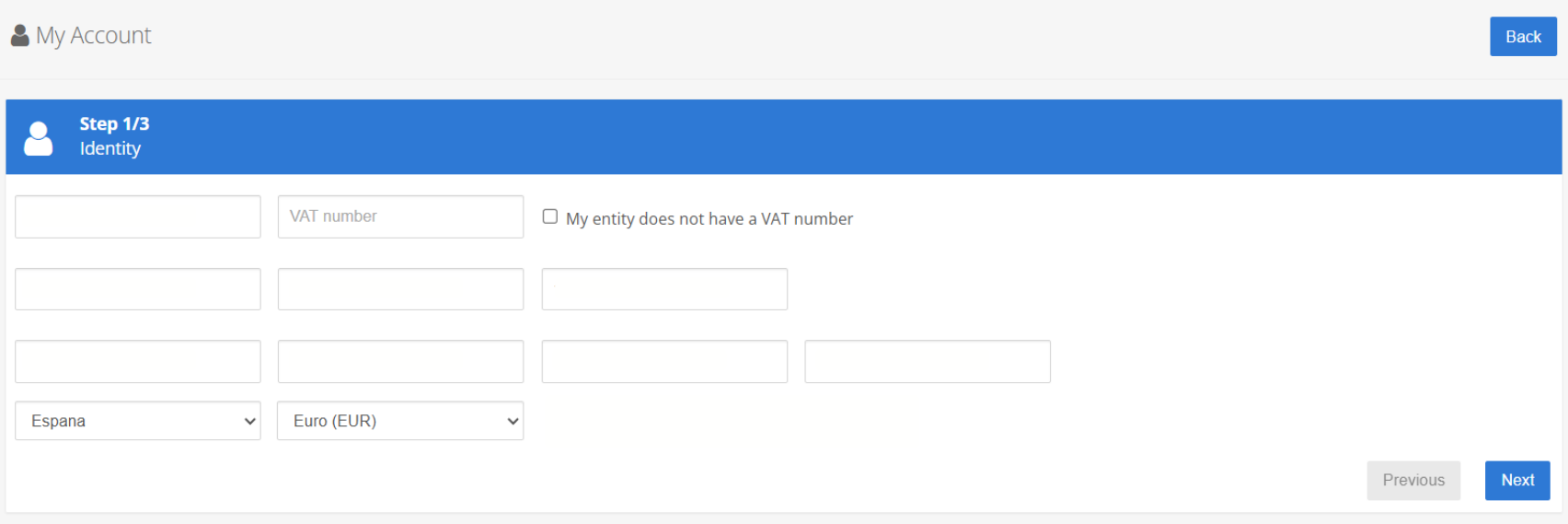
2. In step 1, verify the information provided, as it will automatically appear on your invoice.
If your organization is based in Europe and is subject to VAT, please enter your VAT number to proceed. If your organization does not have a VAT number, please check the box: “My entity does not have a VAT number” In this case, the reverse charge does not apply and VAT will be added to your invoice as an additional charge.
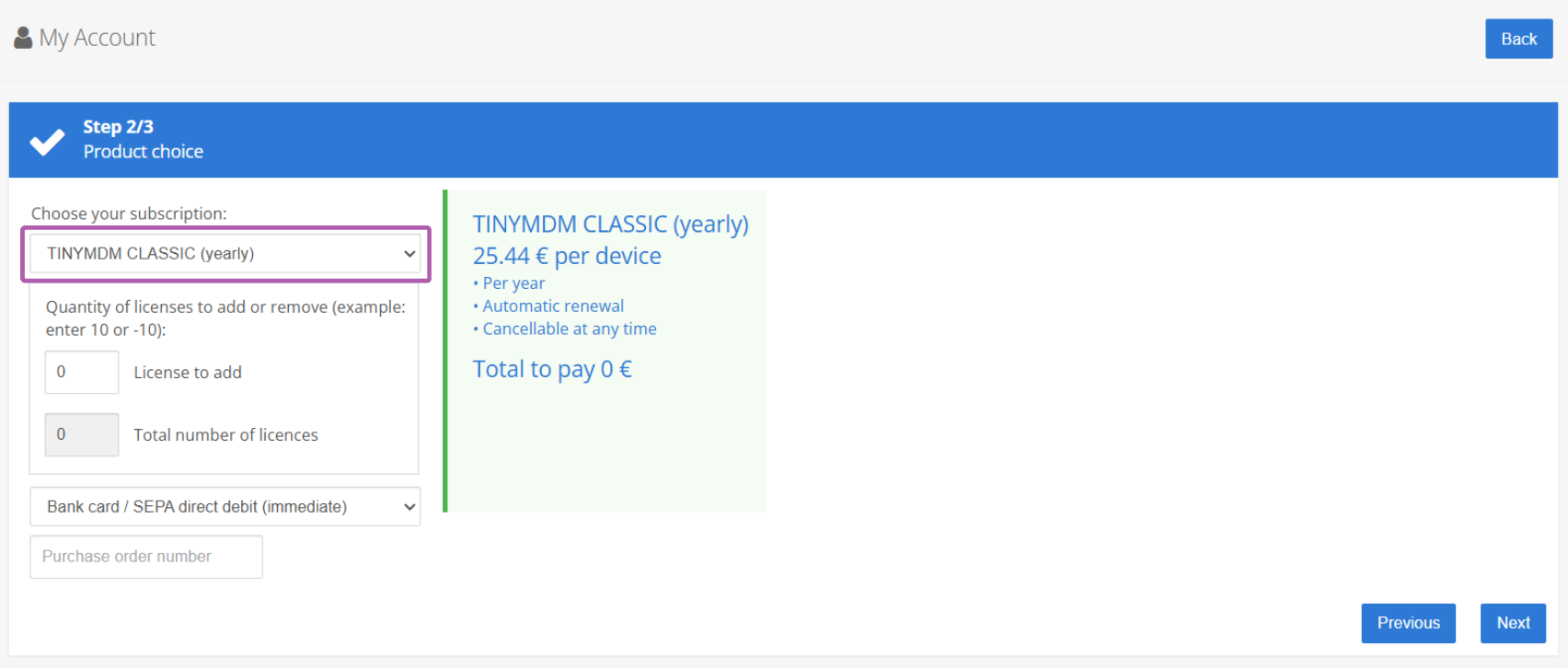
3. Choose your TinyMDM subscription plan. By default, only the CLASSIC and FLEXIBLE plans are visible: if you would like a multi-year subscription or the Flex’ plan, please contact us.
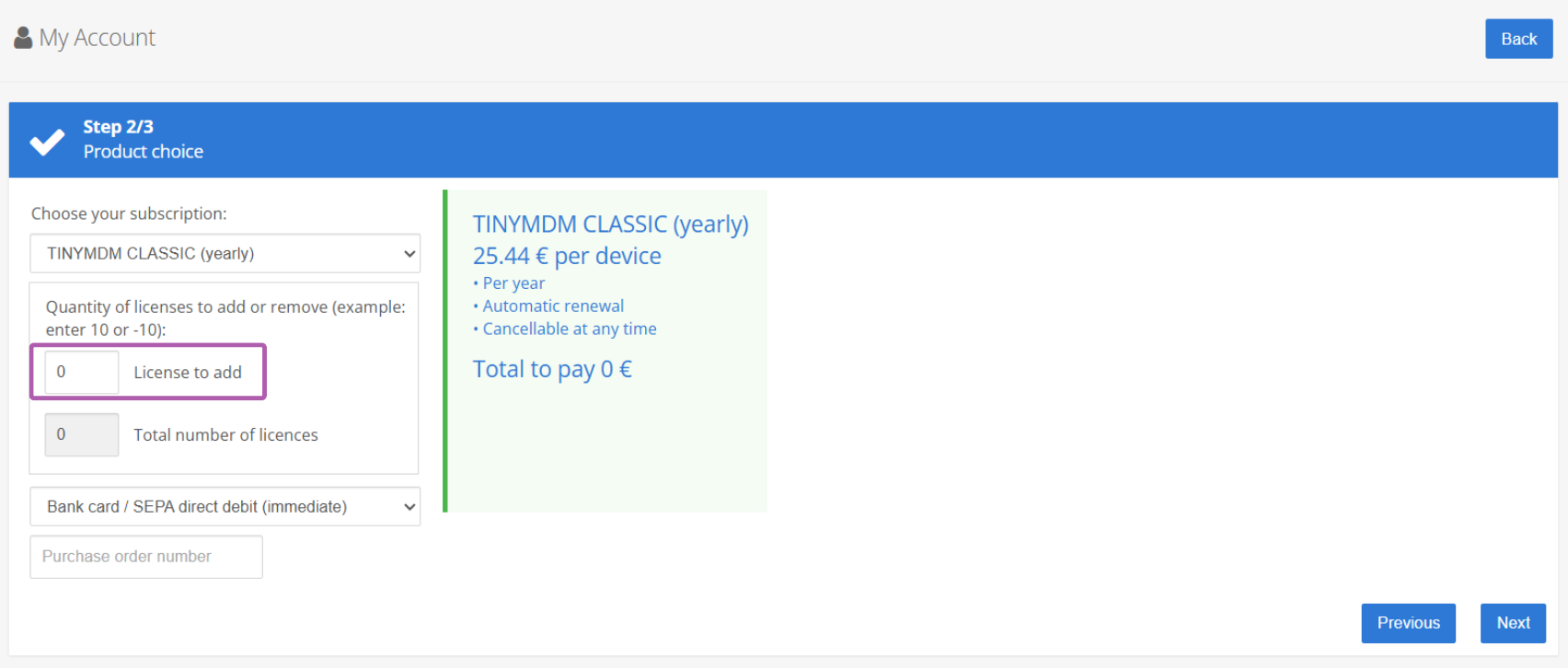
4. If you have chosen a plan with payment on order, enter the number of licenses you want. One license allows you to register one device.
5. Choose your payment method: immediate payment (credit card or SEPA direct debit) or payment by bank transfer upon receipt of invoice. Payments by bank transfer upon receipt of invoice are subject to authorization, depending on your company’s eligibility.
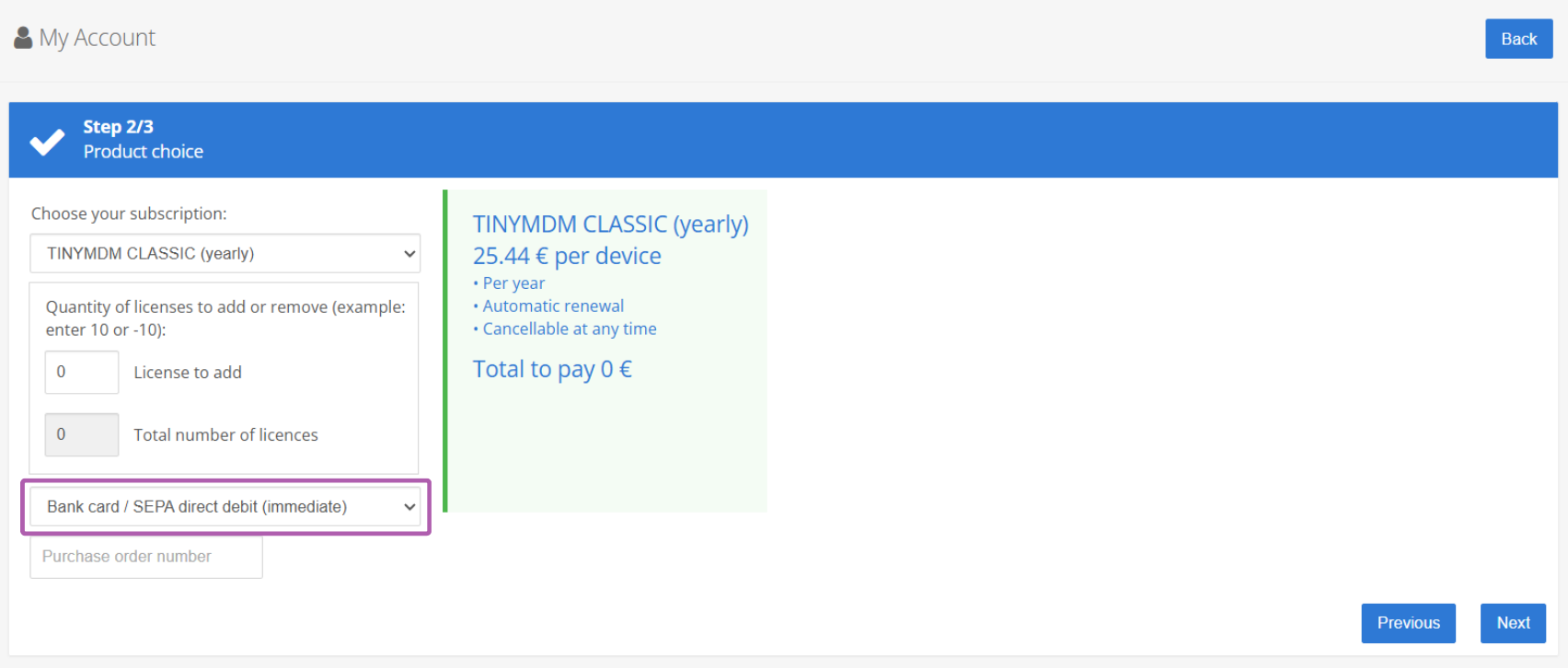
6. If needed, you can enter a Purchase Order number. No order number will be added once the invoice has been generated.
7. Proceed with payment by entering your payment method and clicking on Submit.