
Our comprehensive solution empowers organizations to take full control of their mobile fleet with its Device Management Dashboard

Analyse your fleet at a glance
TinyMDM offers a user-friendly and intuitive interface, specifically designed to streamline device management tasks. Effortlessly navigate the dashboard, access crucial information, and perform actions with ease. Our primary aim is to provide you with a seamless and efficient experience while managing your mobile devices.
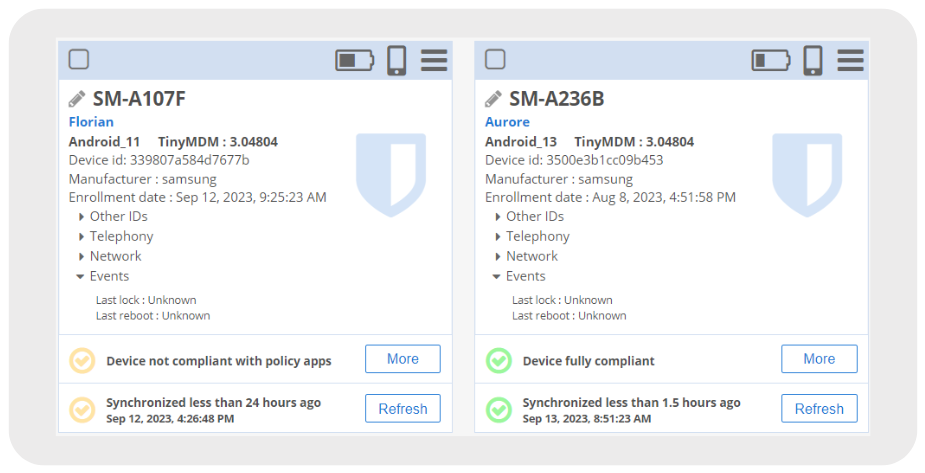
Take immediate action
In addition to visualizing device information, you can also interact with the devices directly. Simply click on the devices you are interested in, whether on the graphic or the captions, to obtain precise details about the linked devices.
For instance, let’s say you observe the “Pending OS update” graph. By clicking on the “Pending update” caption or the associated percentage, you can instantly identify which devices require an Android update. This enables you to stay informed and take prompt action as needed.
TinyMDM Dashboard FAQ
An MDM dashboard is the central interface that allows businesses to monitor and manage their entire mobile fleet at a glance. This visual, intuitive workspace displays critical real-time information (battery status, Android OS versions, compliance levels) and enables you to take immediate remote action if an issue occurs on a device.
From your TinyMDM console, a color-coded status system lets you easily check device compliance and synchronization. Green indicates a device is up-to-date and connected. Orange signals a connection delay or a pending installation, while red means the device is non-compliant or offline.
To quickly pinpoint a specific device or apply a targeted action, your console includes an advanced device search feature with filters. You can combine multiple, highly specific criteria to segment your fleet: device model, Android OS version, line-of-business app version, battery status, user group, or even devices that haven’t checked in with the server in several days.
From your dashboard, you can track the different Android versions across your fleet and easily identify devices with pending updates. To prevent business disruption, TinyMDM allows you to manage Operating System (OS) updates using four different modes.