
Wi-Fi networks, data roaming, airplane mode, connection sharing, APN, data consumption… We’ve put everything in place to protect your sensitive data and save you time in your connectivity management.

Wi-Fi management
Network security is a major concern. Companies are actively working to ensure that Wi-Fi networks accessible by mobile devices are identified and verified, with security in mind. Being able to connect quickly and in a controlled way is crucial to maintaining optimum productivity within the company, especially when there are several work sites and therefore access to various networks.
With TinymMDM, choose to disable Wi-Fi on your devices, prohibit connections to non-secure networks, pre-configure your favorite networks. By configuring your professional Wi-Fi networks, whether simple or protected by certificates (EAP), the devices will automatically recognize the network and connect to it, without any action on the part of the user.
Data usage management
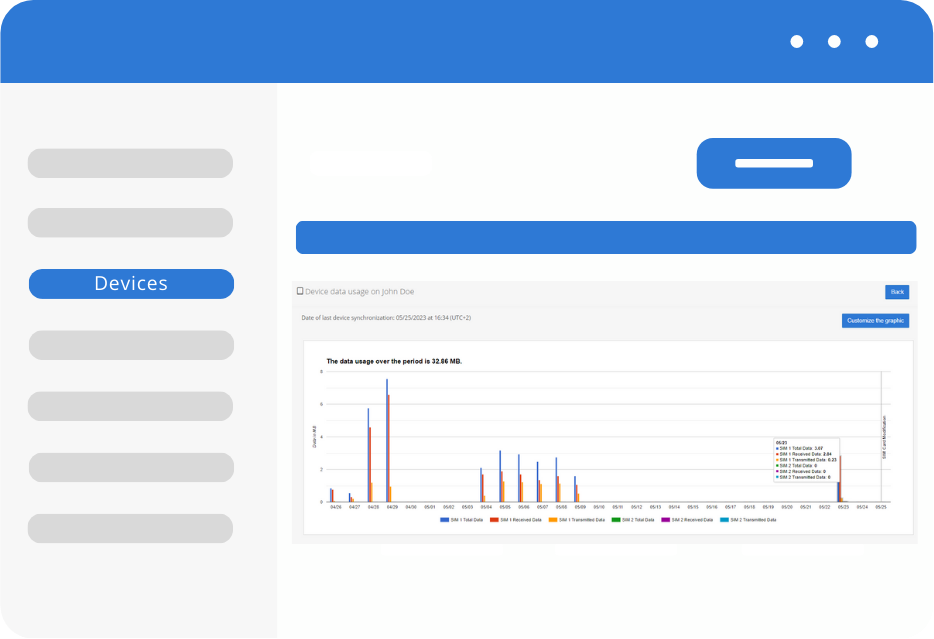
Mobile data packages can represent a significant expense for a company. By monitoring and controlling data consumption, you can avoid excessive charges and optimize your telecom expenses. That’s why, with TinyMDM, you can maintain efficient connectivity and ensure optimum use of resources.

Connectivity management thanks to MDM
To optimize the use of your mobile data, you can also disable internet connection sharing, Bluetooth, NFC, data roaming, access to mobile data settings and also prevent airplane mode from being activated. Without authorisation from the administrator, it will be impossible for the user to activate any of these parameters. For some, a code can be supplied by the administrator to temporarily unlock one of those settings.
Connectivity FAQ
Managing connectivity ensures the security of your sensitive data while maintaining optimal productivity for your field teams or across different sites. By using an MDM solution, you centralize control over all network settings (Wi-Fi, data roaming, airplane mode, APN etc). This prevents security breaches and helps control data usage on your corporate devices, ensuring users cannot accidentally change these settings.
To ensure a connection with your carrier’s network, you can manually configure an APN directly from your admin console by simply entering the credentials (MCC+MNC) provided with your SIM card.
TinyMDM allows you to manage Wi-Fi connections by pre-configuring your corporate networks (standard or EAP) so devices can connect automatically and securely. You can also block access to unsecured public networks or restrict connectivity exclusively to company-approved Wi-Fi networks, while still keeping an admin code available to quickly troubleshoot an employee in the field.
To control costs on your corporate devices (in Fully Managed or Kiosk mode), the admin console allows you to track mobile data usage for each device and SIM card. An interactive, customizable chart displays a detailed history of data sent and received over the past two months, making it easy to quickly spot abnormal usage.