
How to update the email address, password or company info?
A. To modify your company info
- Log in to your administration console and go to the My Account tab.
- Then, in the Company Info section, simply click on the desired field, modify it, and click Save at the bottom of the section.
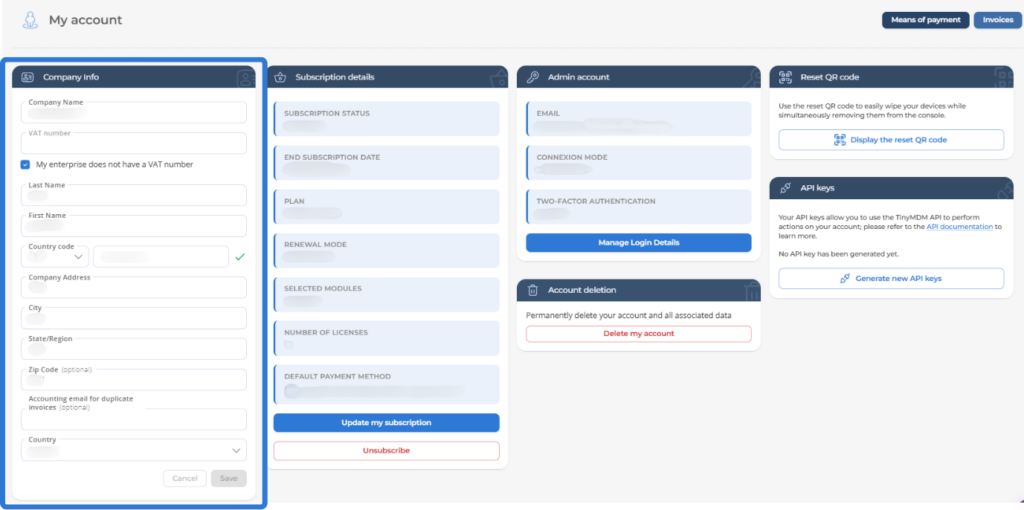
On the VAT Number field, please enter your intra-Community VAT number. If your organization does not have one, simply check the corresponding box My enterprise does not have a VAT number, and the following rules will apply:
- Companies in the European Union (excluding France): Without a valid intra-Community VAT number, the French VAT rate of 20% will apply. Be sure to enter your intra-Community VAT number to benefit from reverse charge (tax-exclusive invoice).
- Companies in the French Overseas Departments and Regions (Guadeloupe, Martinique, Mayotte, Réunion): Invoices are always issued inclusive of VAT. Without a valid intra-Community VAT number, a 20% VAT rate will apply. Be sure to provide your intra-Community VAT number to benefit from your reduced VAT rate.
- Companies outside the European Union: not subject to European intra-Community VAT.
Please note that the details appearing in the Company Info section are the ones that appear on your invoices.
B. To change your password
1. Log in to your administration console and go to the My Account tab.
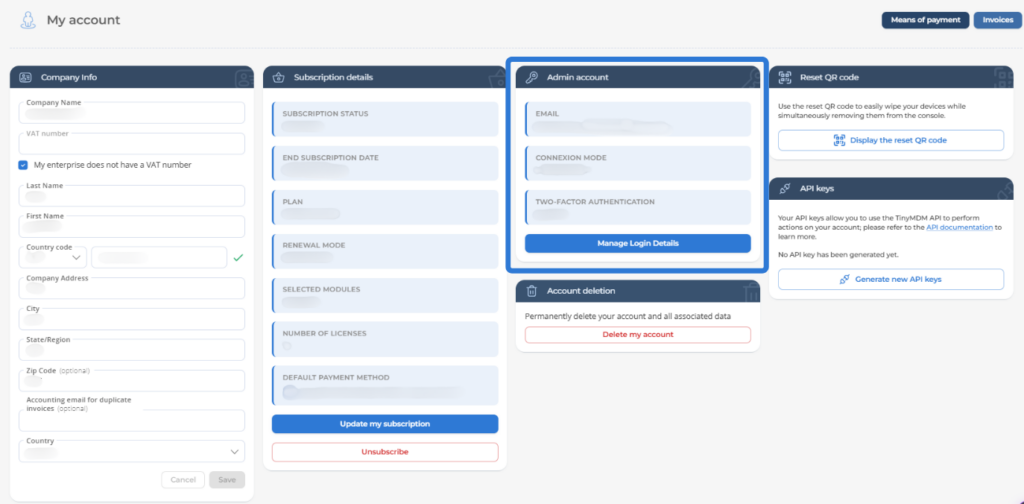
2. In the Admin Account section, click on the Manage Login Details button.
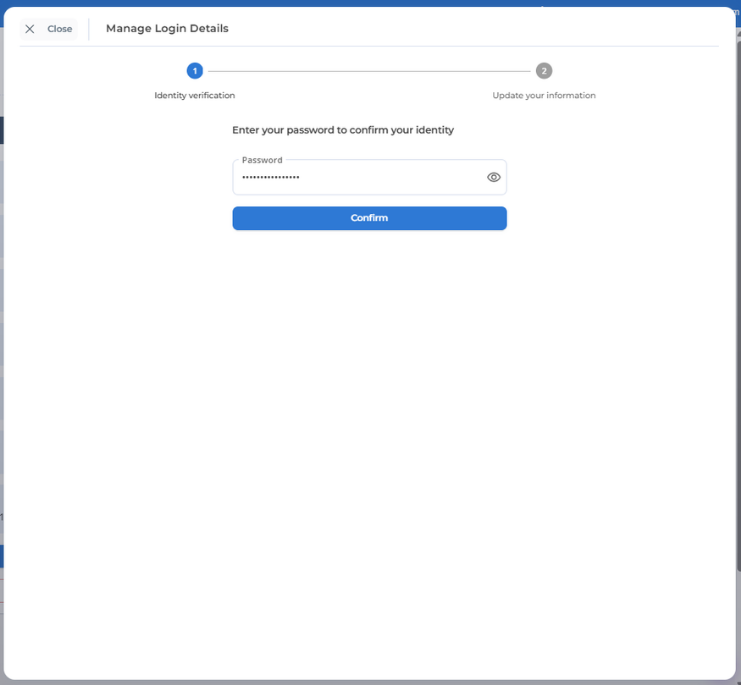
3. During the Identity Verification step, enter your current password.
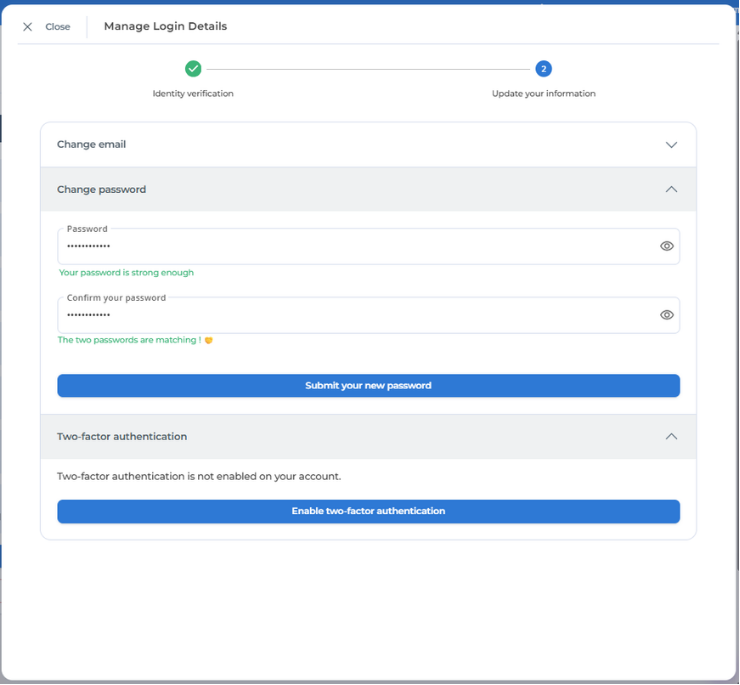
4. You can then update your password by clicking on Change password.
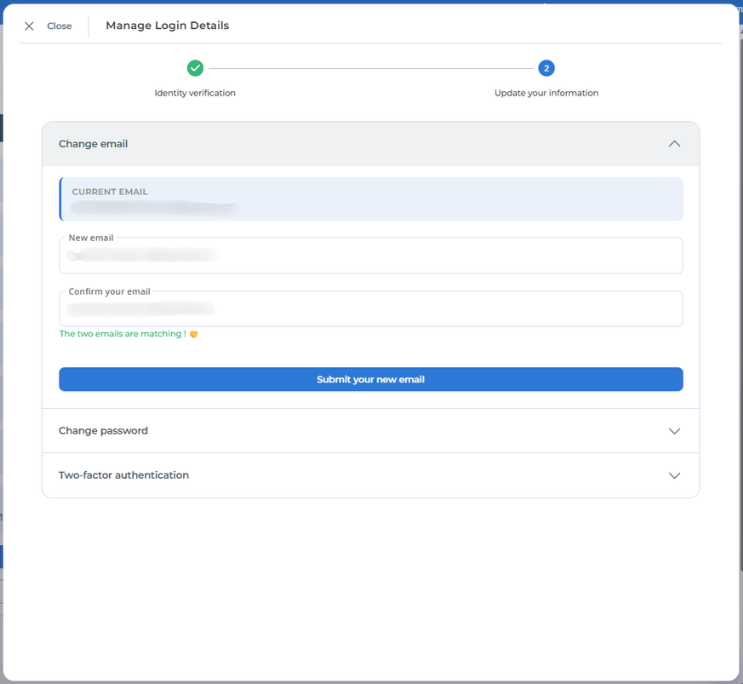
C. To change your email address
1. Log in to your administration console and go to the My Account tab.
2. In the Admin Account section, click on the Manage Login Details button.
3. During the Identity Verification step, enter your current password.
4. You can then update your email by clicking on Change email.
D. Other changes
- If you wish to modify your subscriptions details, we invite you to take a look at this tutorial.
- If you wish to subscribe to TinyMDM, please take a look at this tutorial.
- If you cannot remember your password when logging into your account, click on the Forgot password? link. An email will be sent to you to change your password.